📄 2: Build Your Knowledge Base
Welcome to the second step of your Testus Patronus journey! In this exercise, you'll learn how to build a Knowledge Base that your AI assistant can search through using retrieval-augmented generation (RAG).
This is where your assistant starts to understand your testing documentation, requirements, and historical issues.
📌 What You'll Learn
🧠 Embeddings
When a document is ingested, it's transformed into a vector representation using an embedding model. These vectors help the AI understand meaning and similarity between pieces of text.
Embeddings let the model know that "bug report" and "defect ticket" might refer to the same concept.
In this tutorial, we use the model text-embedding-3-large from Azure OpenAI.
What you'll find: 10,000 English words from a Word2Vec model, each one a point in a 200-dimensional space, squeezed into 3D so you can rotate it. Use the Search box on the right, click a word, and the panel lists its nearest neighbours.
What to look for:
- Search
bug. Its neighbours are bugs, fix, patch, compiler, tracking. Nobody told the model these words are related: it learned it from which words appear near each other in text. - Search
test. Its neighbours mix testing with match, cricket and nuclear. A word model has one point per word, so every meaning of "test" gets blended together. - Switch between UMAP, T-SNE and PCA at the bottom left. The picture changes, but the neighbour list doesn't: the 3D view is only an approximation of the real 200 dimensions.
How this connects to your knowledge base: text-embedding-3-large works on the same idea, but it embeds whole chunks of text into 3,072 dimensions. Because it reads the surrounding words, "test" in a Jira issue lands near software testing, not cricket. When Dify retrieves chunks, it is finding the nearest points to your question in this kind of space.
What you'll find: an animated lesson (video and text) on how LLMs work. The Embedding section is the clearest visual explanation of embeddings around. Best saved for after the workshop.
What to look for: the Direction part. The difference between woman and man is roughly the same arrow as the difference between queen and king. Meaning isn't just "which words are close": consistent directions encode concepts like gender or nationality. This is why similarity search works on meaning and not just on shared words.
🏷️ Which Embedding Model?
The embedding model is chosen separately from the chat model you set up in Exercise 1. Two rules matter in practice:
- Choose for retrieval, on your own data. A model that ranks well overall may not be the best at finding the right Jira issue. Exercise 2.1's benchmark is exactly this kind of check.
- Changing the embedding model means re-indexing everything. Vectors from different models live in different spaces and can't be compared, so you can't mix them in one knowledge base.
What you'll find: the Massive Text Embedding Benchmark, the standard public ranking of embedding models, with separate leaderboards per task, language, and model size.
What to look for: open a Retrieval benchmark rather than the overall score, since retrieval is what RAG does. Compare the size group column: smaller models are cheaper and faster, and some are close to the big ones. Keep in mind that scores are self-reported and measured on public datasets, so treat the leaderboard as a shortlist, then test the candidates on your own documents.
What you'll find: a readable article (and talk) that starts from "an embedding is a list of numbers" and ends with working semantic search and RAG.
What to look for: the related content example, where embeddings find similar articles with no keywords in common, and the section on answering questions with RAG. It's the same pipeline you're building in Dify: embed the documents, embed the question, retrieve the nearest chunks, and hand them to the LLM.
What you'll find: an illustrated, step-by-step explanation of how Word2Vec, the model behind the Embedding Projector demo, learns its vectors.
What to look for: the opening personality test analogy, which shows how a person can be described as a list of scores and compared with cosine similarity. That's the same measure Dify uses to rank your chunks. Then skim the training section: the model learns by predicting which words appear next to each other, which is why bug ended up next to fix.
🍰 Chunking: Breaking Text into Pieces
📏 Chunk Size
Your documents are too long to fit directly into the model's input window, so they are divided into chunks.
| Chunk Size | Pros | Cons |
|---|---|---|
| Small Chunks (200–300 tokens) | 🎯 High precision 🔍 Matches narrow queries well | 🧩 May lose broader context |
| Large Chunks (800–1000 tokens) | 📚 Preserve more context 🔁 Fewer retrievals needed | 🧊 More noise 🎯 Lower match precision |
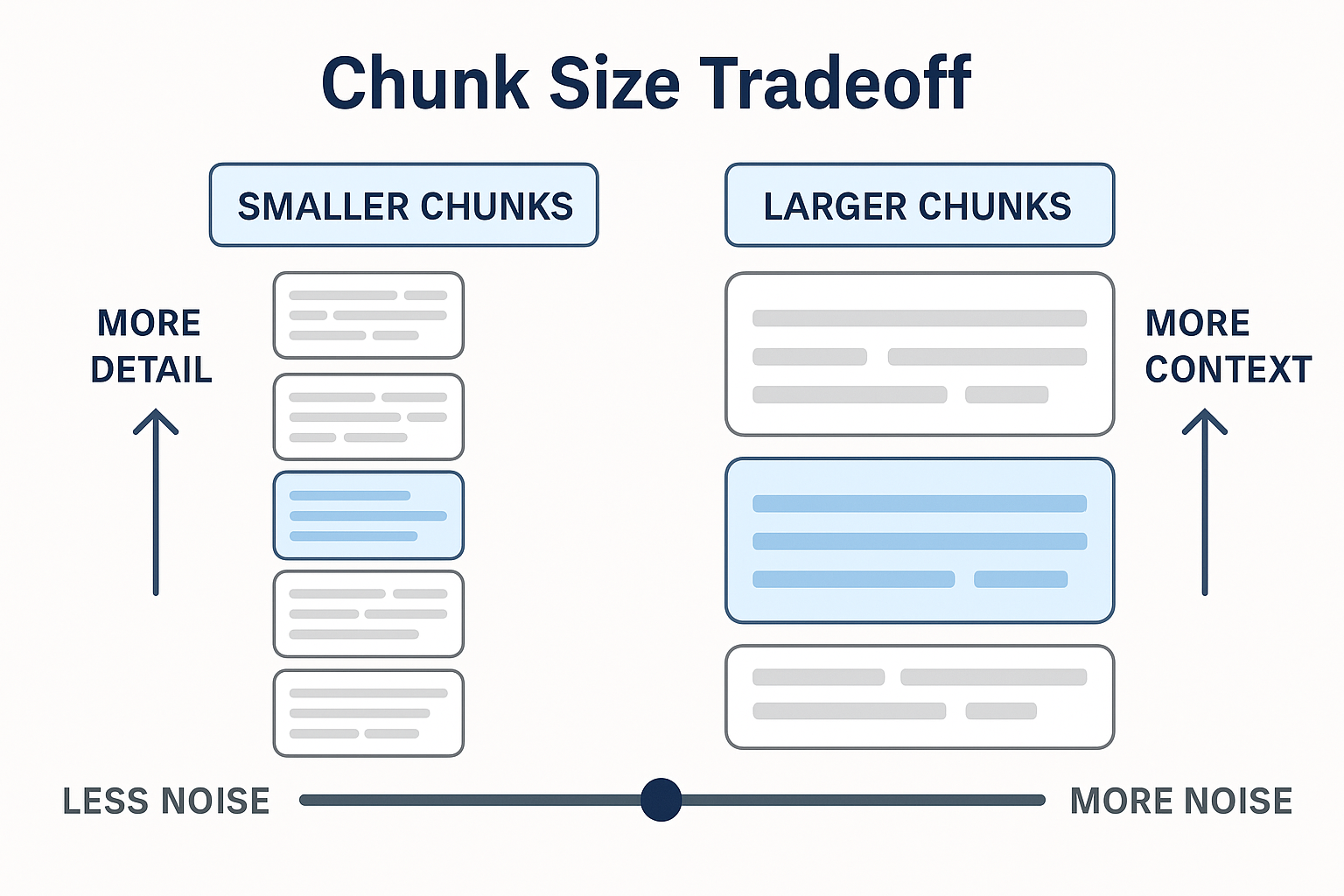
Think of it like reading pages of a book — too many pages at once and the meaning blurs. Too few and you lose the plot.
🔄 Chunk Overlap
Overlap ensures that context near the boundaries of chunks isn't lost.
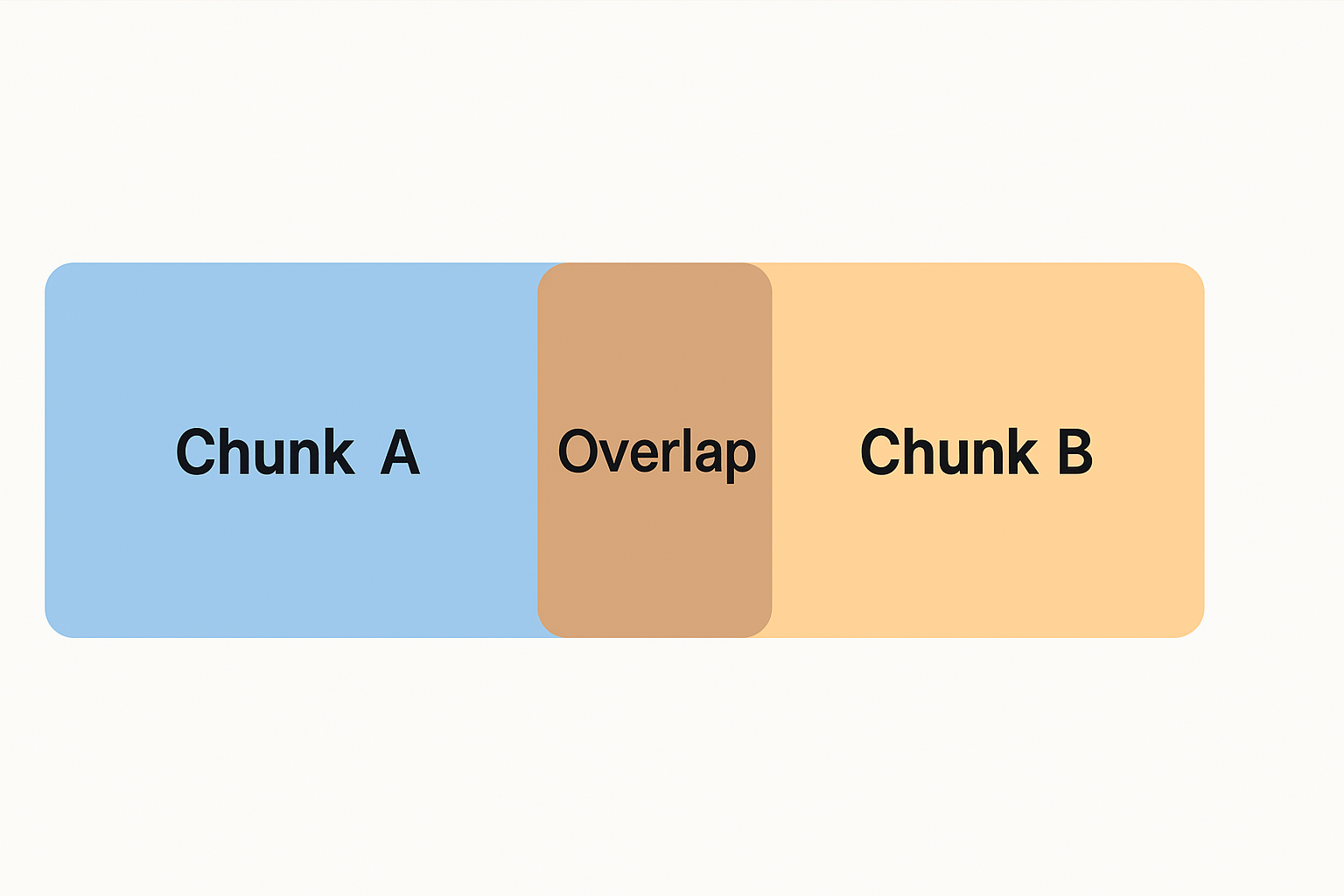
For example, if two chunks overlap by 100 tokens, the second chunk repeats the last 100 tokens of the first. This helps the model "remember" what came before — improving answers that need continuity.
Tokens or characters? The table above talks in tokens, but Dify's chunk settings are in characters. In English, one token is about 4 characters, so the 2,000-character chunks you'll use below are roughly 500 tokens.
What you'll find: paste any text, set Chunk Size and Chunk Overlap (in characters), pick a splitter, and every chunk is shown in its own colour.
What to look for: unzip the Jira dataset below and paste the first 40 lines or so of REST_JiraEcosystem_issues.txt.
- With the Character Splitter at a small chunk size, an issue's
key,summaryanddescriptionfall into different colours. A search that finds the summary won't bring back the key. - Raise Chunk Size to
2000and Overlap to200: whole issues now fit in one chunk, and the overlap repeats the edge of each chunk at the start of the next. - Switch to the Recursive Character Text Splitter: it prefers to cut at blank lines and line breaks instead of mid-word. That's why you'll set a blank-line delimiter (
\n\n) in Dify below.
🎯 Ranking and top-k Retrieval
Once you have all your documents chunked and embedded, you'll want to find the most relevant ones to a query.
This is where ranking comes in:
- The retriever uses cosine similarity (or a similar metric) to score each chunk.
- Then it picks the top K chunks (usually 3–5) with the highest scores.
- These are sent to the LLM for final answer generation.
top K right can dramatically improve performance!Top K alone is not a quality target. Also test the retrieval mode, score threshold, returned source, and behavior for an unrelated query. Exercise 2.1 uses the same Jira fixture to turn these controls into a repeatable benchmark.
🛠️ Step-by-Step: Ingesting Documents
📝 Manual Upload via Dify UI
- Go to the Knowledge tab in your Dify instance.
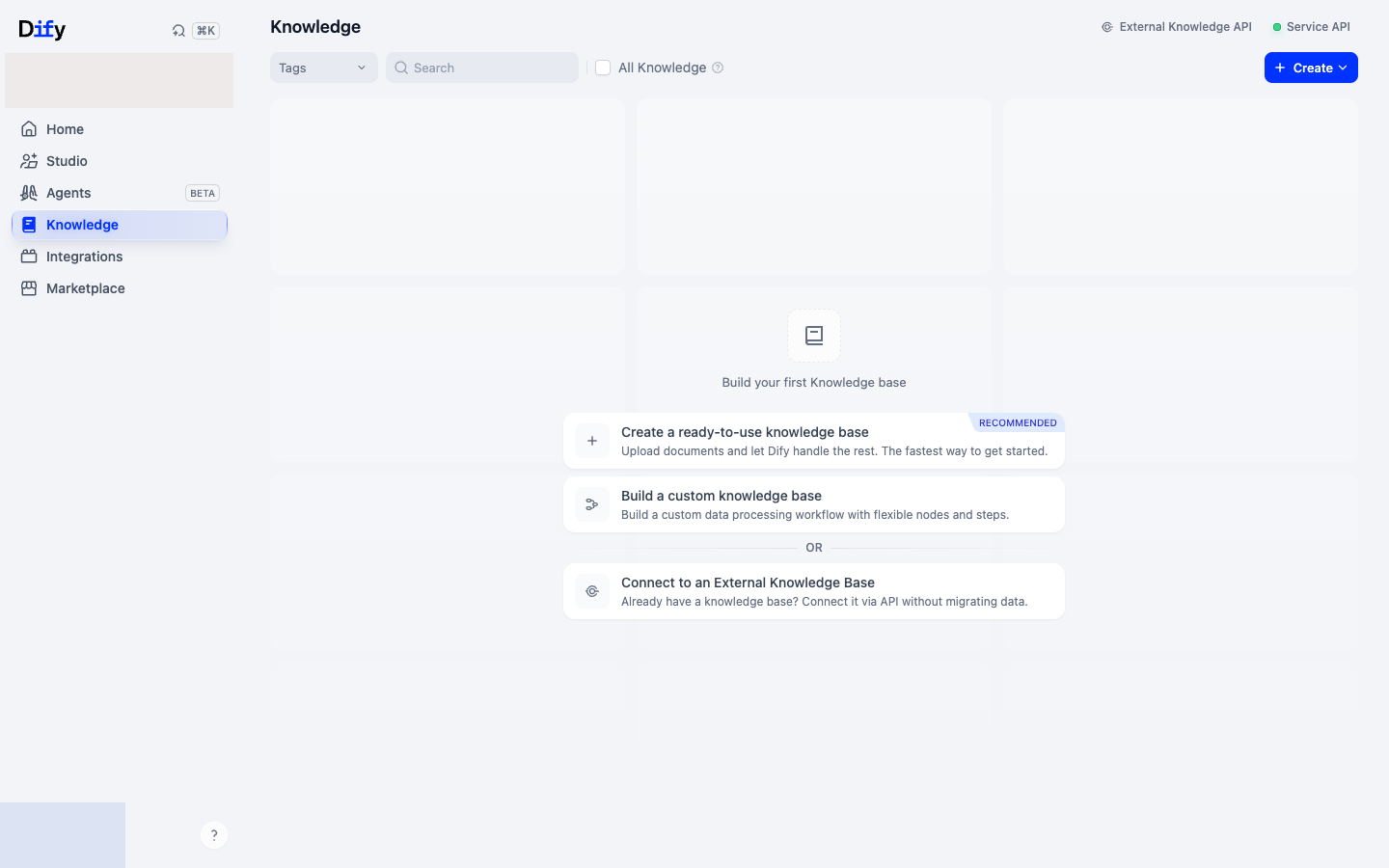
- Click Create Knowledge.
⬇️ Download Jira Dataset Files
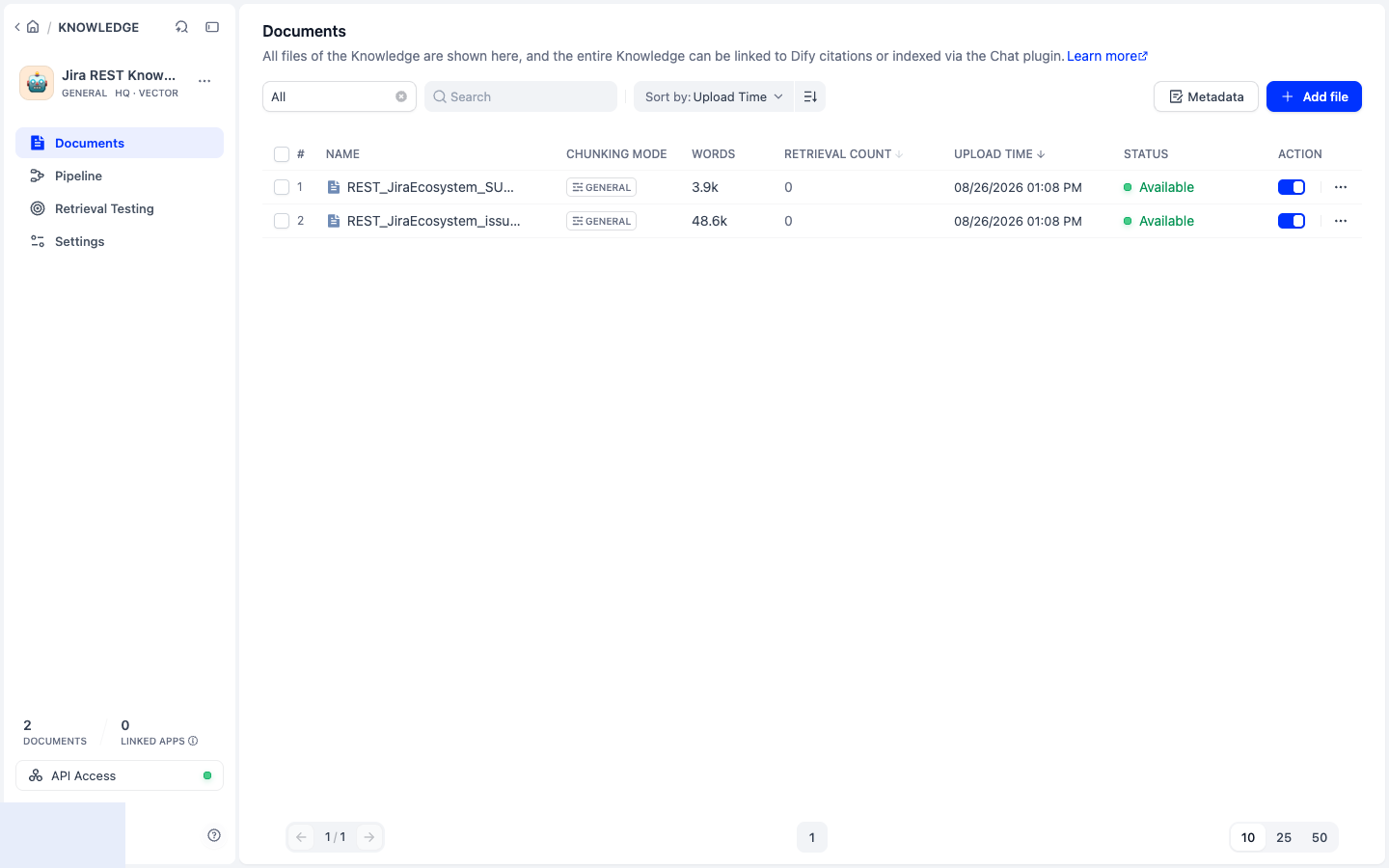
Unzip the dataset and upload the files to the Knowledge Base.
REST_JiraEcosystem_issues.txtis a JSON list of Jira issues. Here is REST-266, trimmed to the fields that matter most (you'll search for it at the end of this exercise):{
"key": "REST-266",
"fields": {
"summary": "Default Jackson configuration is to error out on unknown properties",
"description": "When deserialising JSON into Java objects we should be as lenient as possible in what we accept. ... If a client sends extra JSON properties they should be ignored ...",
"status": { "name": "Not Being Considered" },
"priority": { "name": "Minor" },
"issuetype": { "name": "Bug" }
}
}- Upload
REST_JiraEcosystem_issues.txtandREST_JiraEcosystem_SUMMARY.txt. - Click on Next.
Configure:
- Chunk size: Start with 2000 characters.
- Overlap: Try 200 characters (10% of chunk size).
- Delimiter: Use a blank line (
\n\n). The default single newline fragments pretty-printed JSON into tiny field-level chunks and prevents a Jira key, summary, and description from being retrieved together.
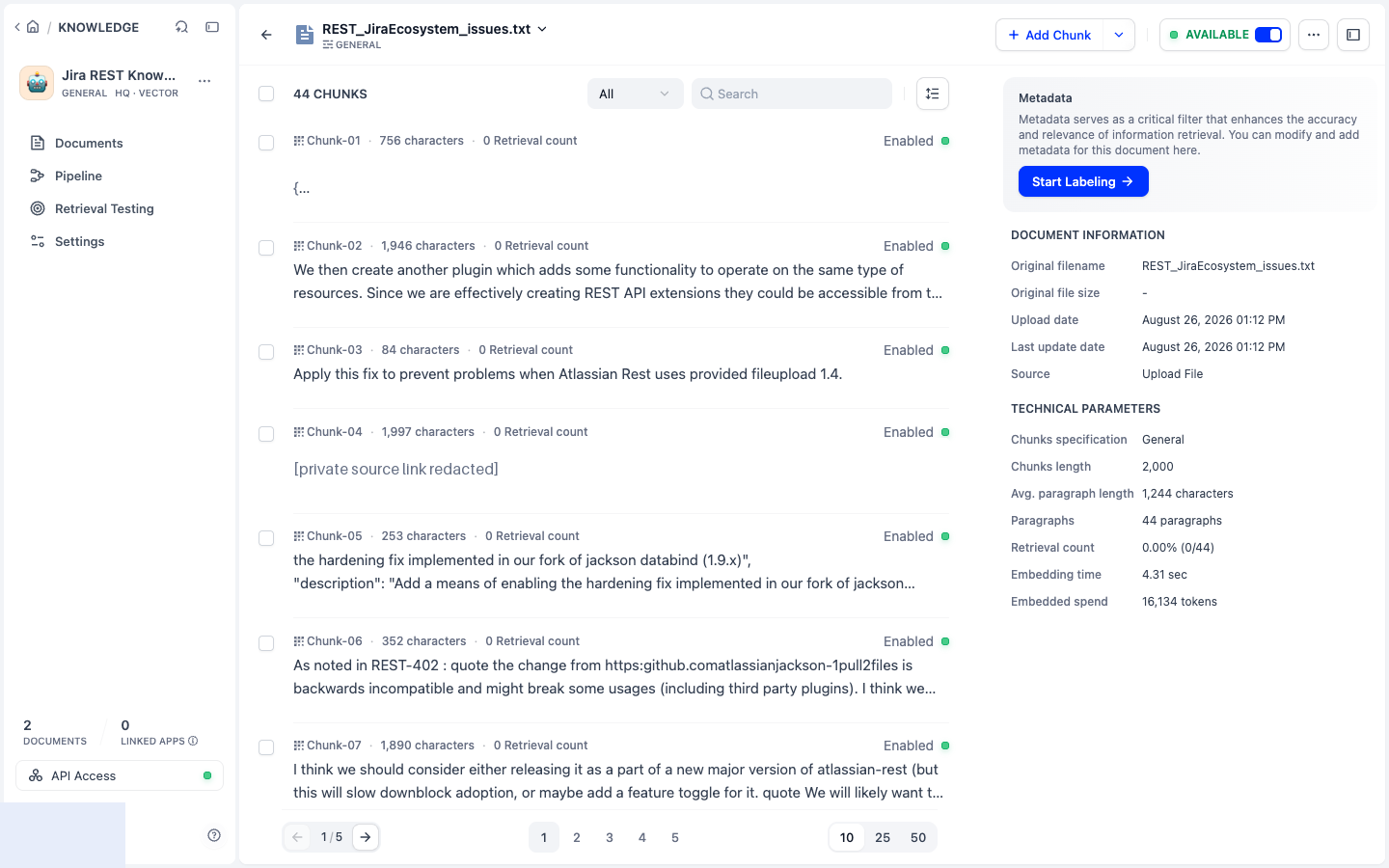
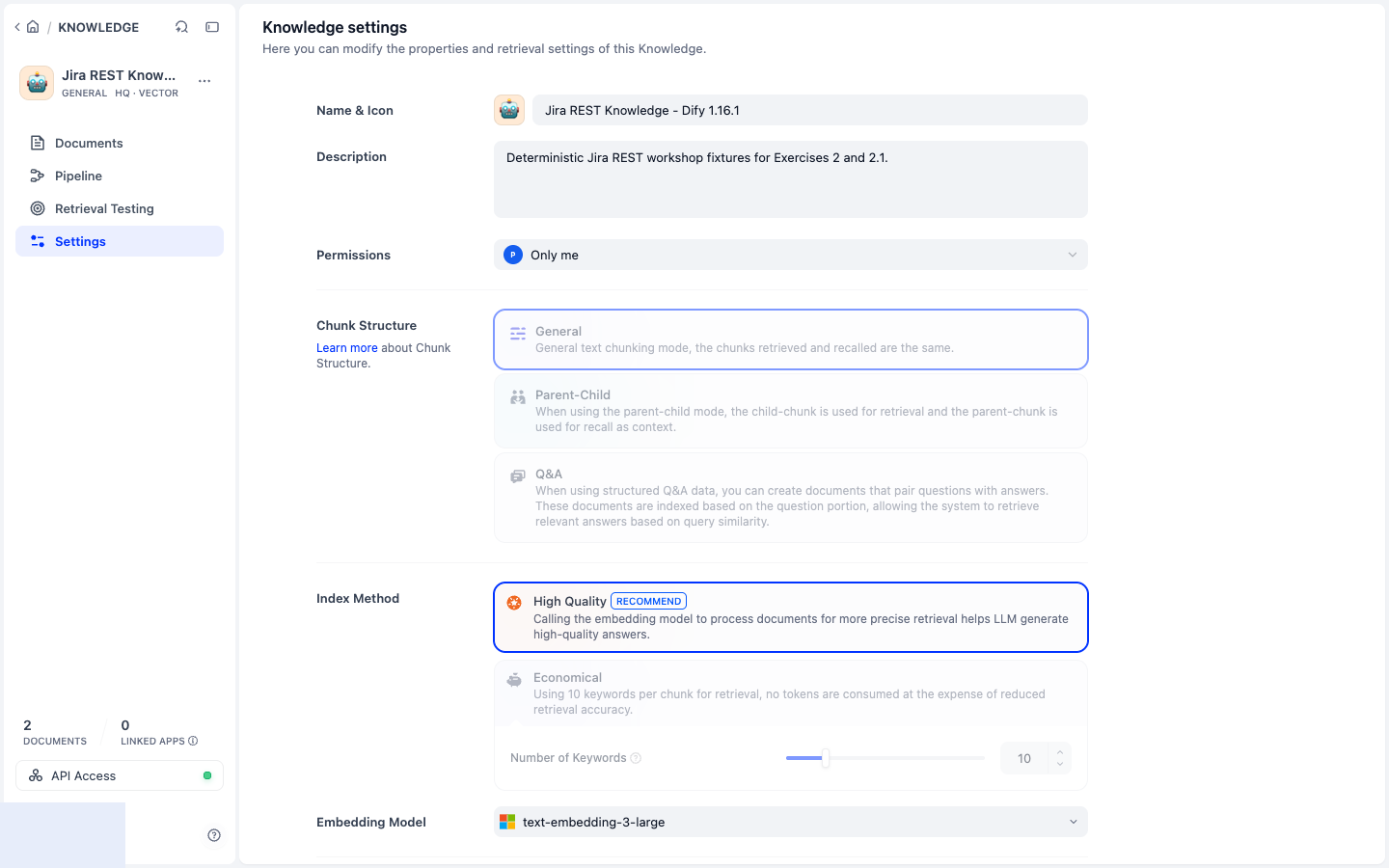
Select High Quality index method and select the text-embedding-3-large embeddings model.
Click on Save & Process. You can now investigate your document chunks, sizes, content, etc. What do you think?
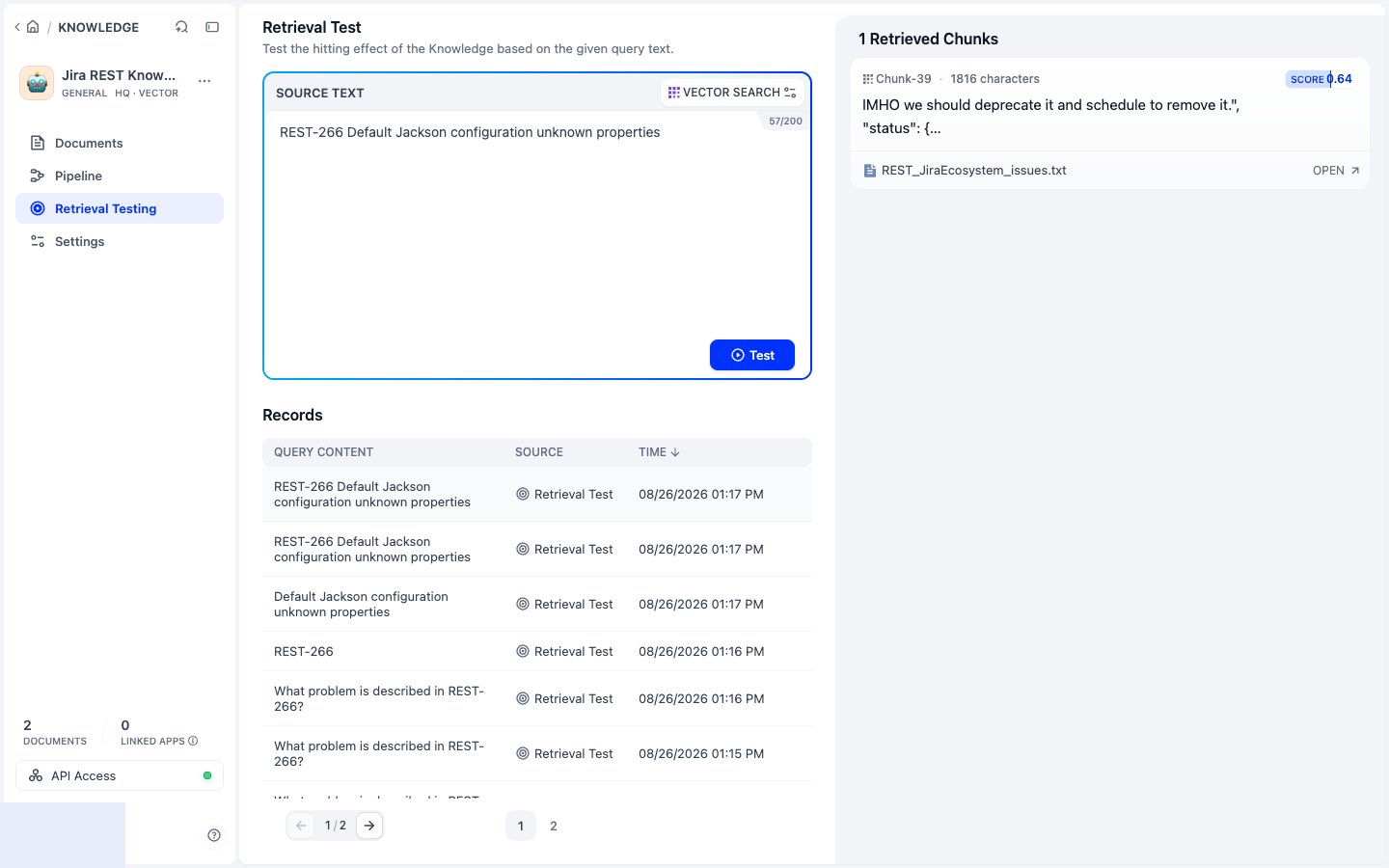
Verify retrieval, not just indexing: open Retrieval Testing and query REST-266 Default Jackson configuration unknown properties. A useful result contains the issue key, summary, and description in the same retrieved context. This is a quick check. Exercise 2.1 adds a fuller set of test queries, including one that should return nothing.
➡️ Next: in Exercise 2.1 you'll ingest the same Jira issues through an API, with structured metadata, and compare the results with this knowledge base.